AI Automation for Solopreneurs: 7 Powerful Tools to 10x Your Productivity
I vividly remember staring at a Google Sheet at 2:00 AM, my eyes burning from the screen glare. I was manually copying and pasting client intake data from an email into a spreadsheet, then drafting a slightly tweaked welcome email for the fourth time that week. I was exhausted.
This is the hidden reality of running a one-person business. You start a company for freedom, but you end up as a glorified data entry clerk. That night was my breaking point. I realized that if I didn’t figure out AI automation for solopreneurs, my business was going to crush me.
I didn’t need to hire an expensive assistant. I needed to build a system. Today, my solo business automation handles lead qualification, client onboarding, and content research while I sleep. It doesn’t make me millions overnight, but it absolutely frees up 10 to 15 revenue-generating hours every single week.
In this guide, I’m going to show you the exact no-code workflows and AI business systems I use to dramatically increase my operational capacity. No robotic marketing fluff. Just real tools, real workflows, and the hard lessons I learned along the way.
The “10x Productivity” Myth
Let’s address the elephant in the room: the title of this article. You see “10x your productivity” plastered all over Twitter and LinkedIn by tech gurus. It’s a catchy hook, but it’s mostly garbage. You cannot literally clone yourself. AI is not going to magically run your entire business while you sip margaritas on a beach.
What AI automation actually does is remove the friction from your daily operations. It eliminates the soul-crushing repetitive tasks. When you stop acting like a robot, you finally have the energy to do the deep, creative work that actually moves the needle. According to Forbes, AI and automation are no longer optional for small businesses but a necessity for staying competitive.
Why Most Solopreneurs Fail at Automation
My biggest mistake early on was trying to automate a broken process. I had a terrible, disorganized way of handling client feedback. So, I built a complex automation to route that messy feedback into Slack, Notion, and my email. The result? I just created faster trash. My notifications exploded, and I was more stressed than before.
Here is a contrarian truth: Do not automate anything you haven’t done manually at least 20 times. You need to feel the pain of the process. You need to understand every single step before you hand it over to a machine. Once the manual process is flawless, then you build the system.
7 Powerful AI Automation Tools for One-Person Businesses
You don’t need 50 different micro-SaaS apps. You need a tight, integrated tech stack. Here are the 7 tools that form the backbone of my solo operation.
1. Make.com (The Nervous System)
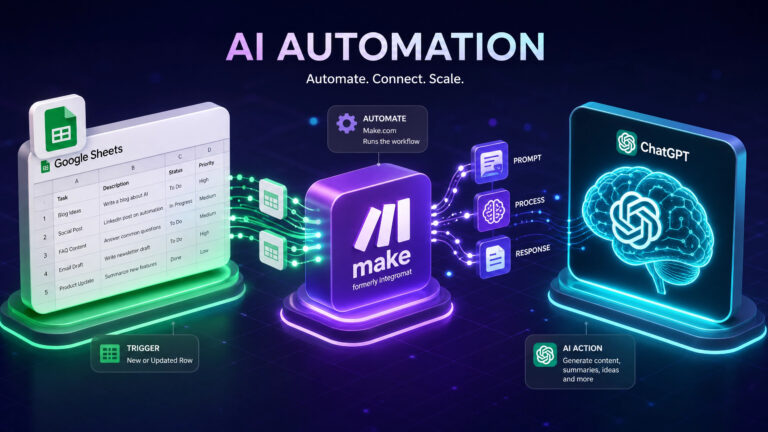
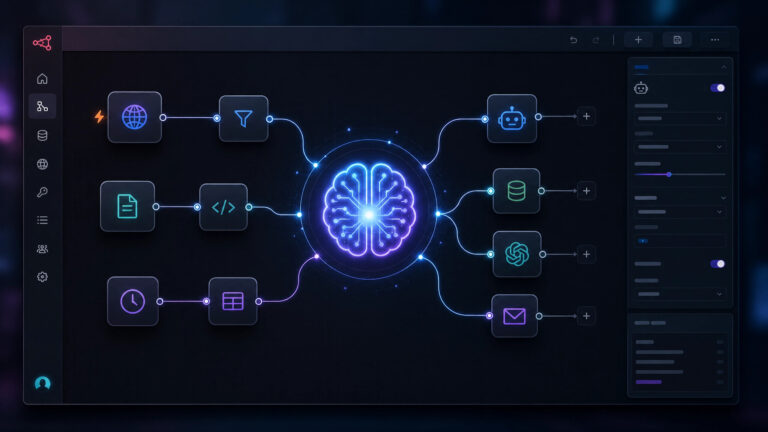
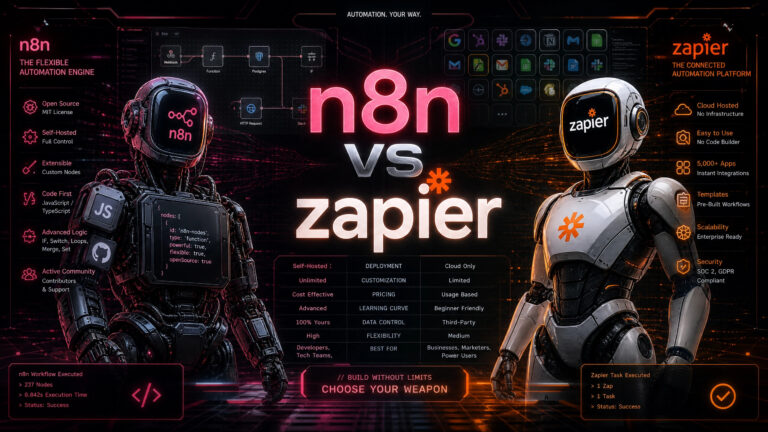
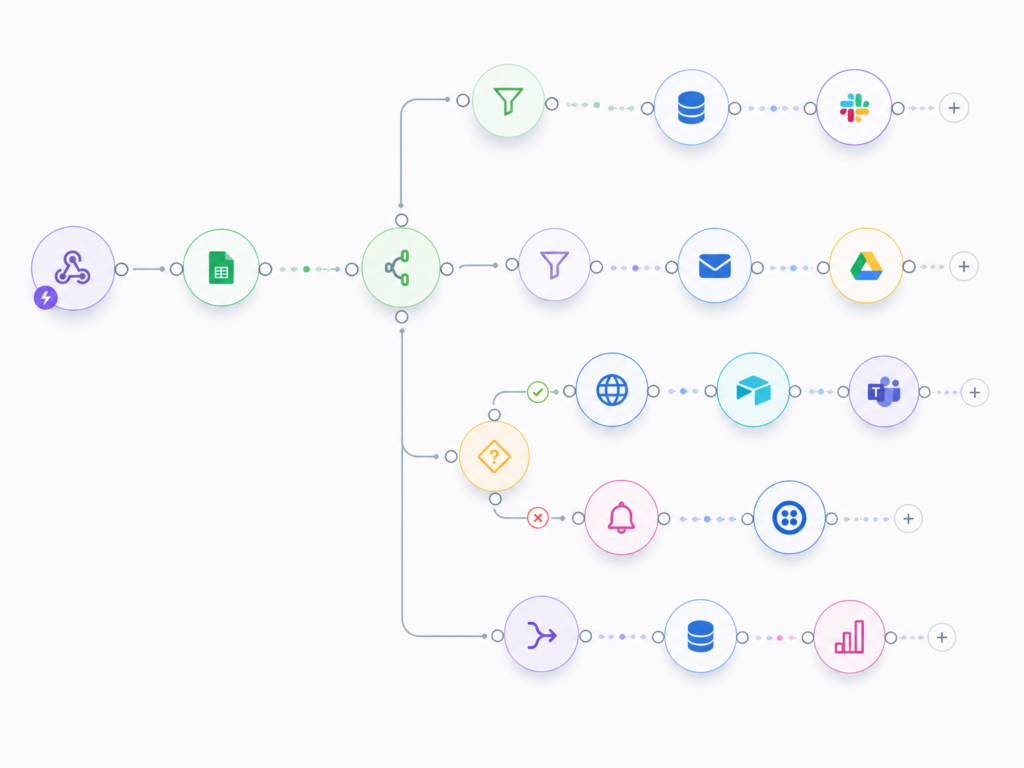
Most beginners start with Zapier. I did, too. But I quickly hit a wall with their pricing and linear workflows. Make.com (formerly Integromat) is a visual workflow builder. It allows you to connect different apps using a drag-and-drop canvas. Instead of a straight line, you can build complex routing logic.
2. OpenAI API (The Brain)
I rarely use the standard ChatGPT interface for business operations anymore. Instead, I plug the OpenAI API directly into my Make.com workflows. This allows me to process data in the background. When a new lead fills out a form, the API analyzes their website, extracts key pain points, and drafts a custom briefing document for me.
3. Airtable (The Memory)
Airtable is a relational database disguised as a spreadsheet. It stores my CRM, my content calendar, and my financial tracking. Because it has native API support, it connects flawlessly to Make.com. Every time an automation runs, it logs the result in Airtable so I have a permanent, searchable record.

4. Tally Forms (The Intake)
Tally is free for 99% of what you need, looks beautiful, and feels like typing in a Notion document. Most importantly, Tally sends instant webhooks. The second someone hits “Submit,” Tally pings Make.com to start the automation engine.
5. Perplexity (The Researcher)
When I need to research a client’s industry or understand a new market trend, I use Perplexity. It is an AI search engine that actually cites its sources, making it a superior alternative to traditional search for deep research.
6. Claude 3.5 Sonnet (The Writer)
Claude by Anthropic is currently the superior model for natural, human-sounding text. I use Claude to draft email templates, outline newsletters, and brainstorm contrarian content angles without the typical “AI-speak.”
7. Notion (The Command Center)
Notion is the dashboard. I pull my Airtable views and my daily tasks into one single Notion page. It is the only screen I look at when I start my workday.
Tool Comparison: Make.com vs Zapier
| Feature / Metric | Make.com | Zapier |
| Starting Price | $9/month (10,000 tasks) | $19.99/month (750 tasks) |
| Visual Interface | 2D Canvas (Drag and drop) | Linear (Top-to-bottom) |
| Learning Curve | Steep | Very Easy |
| Error Handling | Advanced | Basic |
| Best For… | Complex, cheap scaling | Quick, simple setups |
Real Workflow Example: The Zero-Touch Client Onboarding Engine
Theory is useless without execution. Here is the exact workflow I built to stop wasting hours on client onboarding. This system triggers the moment a client signs a proposal.
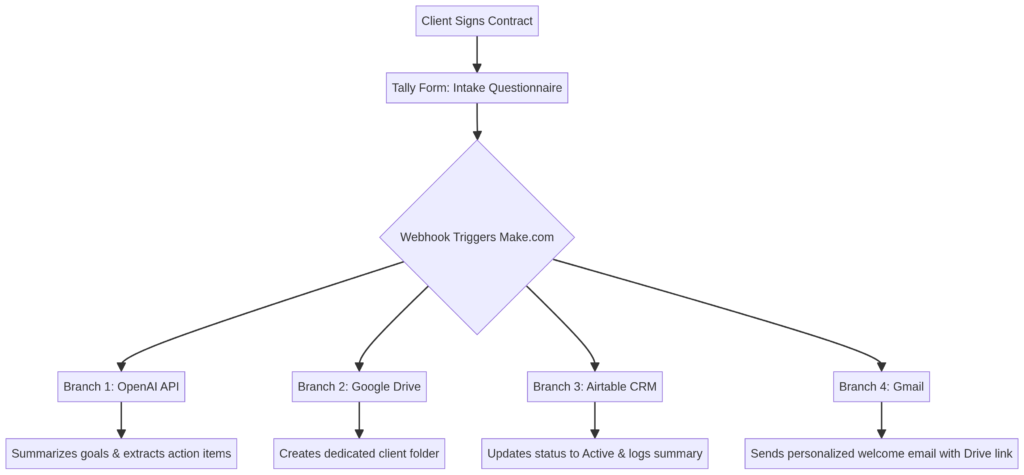
How to build it:
1.Create the Form: Build a Tally form asking for the client’s assets, goals, and company info.
2.Catch the Webhook: In Make.com, create a new scenario starting with a “Custom Webhook” module.
3.Add AI Parsing: Add an OpenAI module to read the form data and output a 3-bullet-point summary.
4.Route the Data: Add Airtable and Google Drive modules to store the data and create the folders.
5.Send the Email: Map the client’s email address and the summary into a Gmail module for a personalized welcome message.
Related: AI CRM for Freelancers: 7 Proven Secrets to Ultimate Growth
FAQs
What is the cheapest AI automation stack for beginners?
The most cost-effective stack is Tally Forms (Free), Make.com ($9/mo), Airtable (Free tier), and the OpenAI API (Pay-as-you-go). You can run a highly automated business for about $11 a month.
Do I need to know how to code to use the OpenAI API?
No. Platforms like Make.com and Zapier have pre-built modules for the OpenAI API. You simply connect your account using a secret key.
How do I automate client emails without sounding like a robot?
The trick is to use AI for data extraction, not for writing the final prose. Use automation to pull the client’s name and pain points into a pre-written, human-crafted email template.
Final Thoughts on Scaling Yourself
Implementing AI automation for solopreneurs isn’t about being lazy. It is about protecting your most valuable asset: your cognitive bandwidth. Every time you manually copy a cell from a spreadsheet to an email, you are draining the creative energy you need to actually grow your business.
Start small. Don’t try to build the ultimate system on day one. Pick one frustrating task this week and automate it. Once you experience the magic of a workflow executing flawlessly, you will never go back to manual data entry again.