n8n vs Zapier: Which Automation Beast Builds Better AI Agents?
The Contrarian Truth About AI Automation Platforms
Most online automation advice is written by affiliates who want you to click their referral link. They’ll tell you building AI agents is as simple as connecting two dots on a screen. That’s a lie. Real AI agents—the ones that actually free up 10 to 15 hours of operational capacity a week—are messy.
They require memory, conditional logic, error handling, and API calls that don’t always behave. The biggest mistake I see operators make is choosing a platform based on the logo rather than the architecture. Zapier is essentially a tax on non-technical founders. It’s brilliant for simple triggers, but it punishes you financially for complexity.
Conversely, n8n is touted as the “free” alternative. But your time isn’t free. If you don’t understand basic JSON or API structures, n8n will make you want to throw your laptop out a window. To build a true AI agent, you need a platform that handles complex looping, dynamic memory, and custom code without breaking a sweat. Let’s look at how both handle this reality.
Zapier: The Expensive, Easy-to-Use Giant
Zapier is the undisputed king of integrations. If software exists, Zapier probably connects to it. When it comes to AI, Zapier has introduced features like Zapier Central and Canvas to help users build bots. You can train a bot on your company data and let it trigger actions across your apps. For a beginner, this feels like magic.
The Good
You can build a functional AI assistant in about twenty minutes. You don’t need to know what a webhook is, and you certainly don’t need to write a line of code. The interface is highly intuitive, and the authentication process for connecting apps like Slack, Gmail, or Salesforce is seamless. If your goal is to build a simple bot that drafts email replies based on incoming tags, Zapier is phenomenal.
The Bad (and the Ugly)
Zapier’s pricing model is actively hostile to AI agents. AI agents require looping. They need to fetch data, analyze it, realize they need more data, fetch again, and then output a result. Zapier charges you per “task” (every single step in a workflow). For more efficient solutions, explore n8n AI workflow templates.
When I built an autonomous research agent in Zapier, a single query triggered 15 tasks. A few hundred queries later, I had blown through my monthly quota. Furthermore, Zapier abstracts away too much control. If you want to tweak the exact temperature of the LLM, inject custom system prompts dynamically, or use open-source local models, you’re going to hit a brick wall.
n8n: The Hacker’s Dream (and Nightmare)
n8n is a fair-code workflow automation tool that you can self-host or run on their cloud. Unlike Zapier, n8n is built on a node-based architecture that looks and feels like a developer’s canvas. Recently, n8n introduced “Advanced AI” nodes, directly integrating LangChain concepts (like memory, tools, and agents) right into the visual builder.
The Good
n8n is an absolute powerhouse for AI. Because it integrates LangChain natively, you can build an agent, give it a calculator, a web scraper, and a database, and tell it to “go figure out the answer.” It handles the iterative looping internally without charging you for every single thought process. If you self-host n8n, you pay zero dollars for execution tasks. You only pay for your server (usually around $5-$20/month) and your OpenAI API costs. This completely changes the ROI of automation. You can run massive, complex AI workflows that process thousands of rows of data without sweating the monthly bill.
The Bad
The learning curve is brutal. If you don’t understand how data moves in JSON format, n8n will frustrate you deeply. When an API call fails in n8n, it doesn’t give you a friendly, color-coded warning. It spits out a raw error code that you have to decipher. I spent three late nights trying to figure out why my data array wasn’t splitting correctly, only to realize I needed a specific Item Lists node to parse the JSON. It’s not plug-and-play.
Cost Breakdown: Zapier vs n8n at Scale
Let’s get real about the numbers. When building AI agents, the cost model is critical. Here’s a quick breakdown:
| Feature | Zapier (per 15 tasks) | n8n (self-hosted) |
| Cost per execution | $0.45 (approx.) | $0.00 (server cost + API) |
| Monthly cost for 1000 queries | $450 (approx.) | $5-$20 (server) + OpenAI API |
| Scaling effect | Exponentially expensive | Predictable, near-zero marginal cost |
This table clearly illustrates why Zapier becomes a
money pit for complex AI workflows, while n8n offers a significantly more cost-effective solution for scaling.
Head-to-Head Comparison: n8n vs Zapier
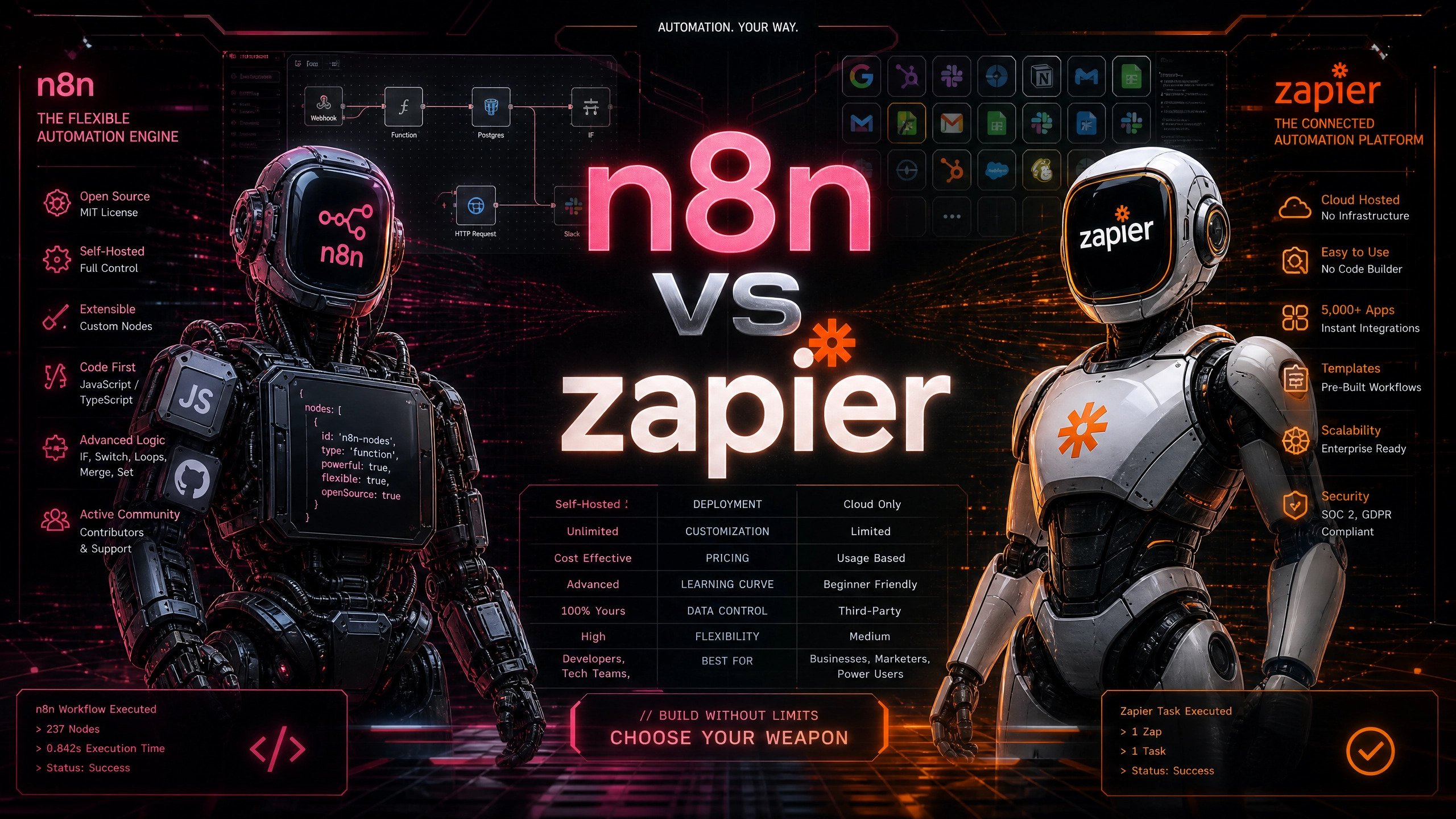
To make this practical, here’s exactly how they stack up when building AI systems.
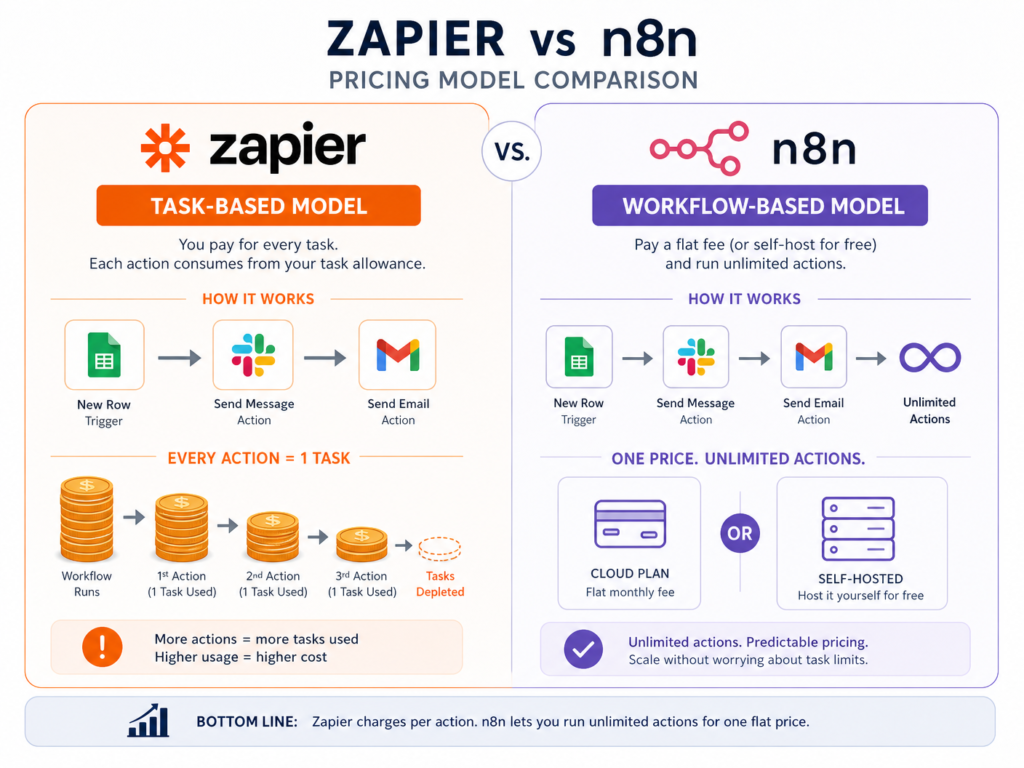
| Feature / Metric | Zapier | n8n |
| Pricing Model | Pay per task (Expensive for AI loops) | Pay per workflow (Cloud) or Free (Self-hosted) |
| Ease of Use | Extremely high. Grandma could use it. | Steep learning curve. Requires JSON knowledge. |
| AI Agent Architecture | Zapier Central (Rigid, basic bots) | LangChain Native Nodes (Memory, Tools, Chains) |
| Local LLM Support | Non-existent | Excellent (Ollama, HuggingFace integrations) |
| Error Handling | Basic, often stops the whole workflow | Advanced (Continue on fail, custom error triggers) |
| Best Use Case | Simple, linear A-to-B automations | Complex, multi-step autonomous AI agents |
Visual Workflow Diagram: The AI Research Agent
To understand why n8n wins for complex agents, you have to visualize the architecture.
Here’s a text-based flowchart of an AI agent I built to research competitors, summarize their pricing, and log it into a database.
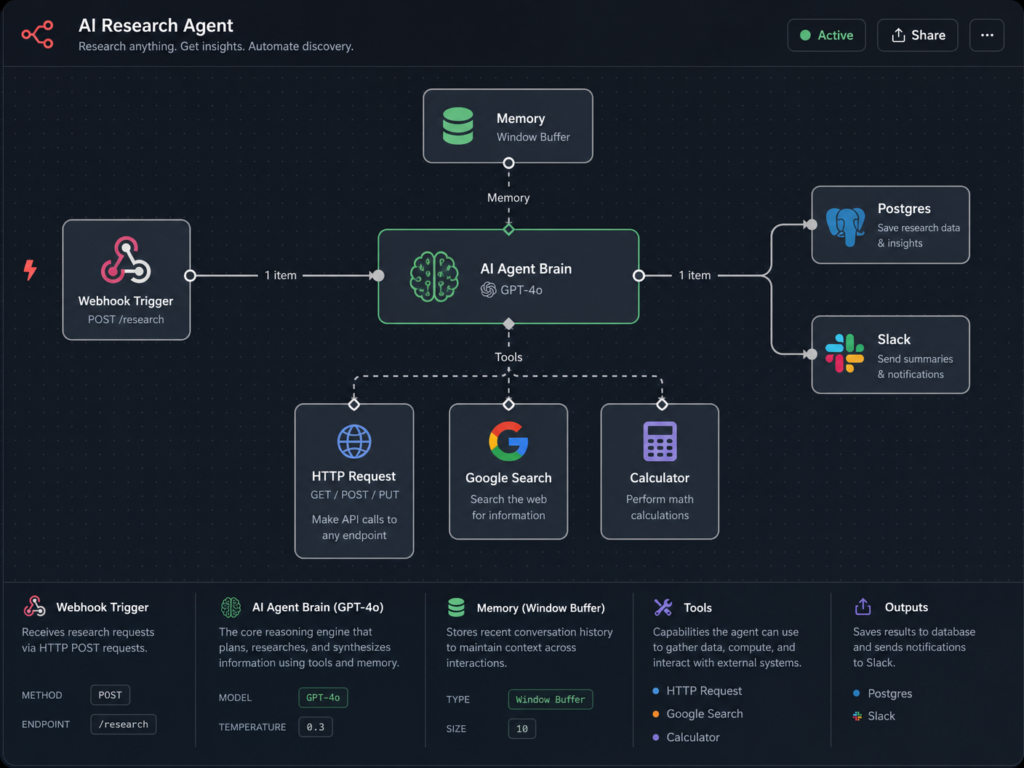
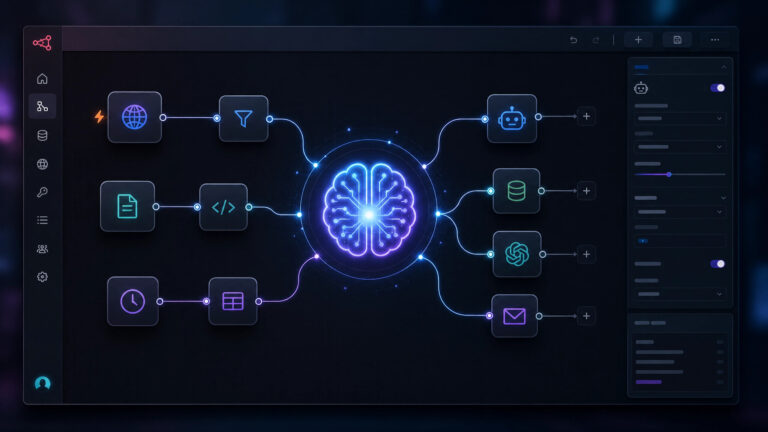
Notice how the AI Agent Node acts as a brain. It decides which tool to use based on the prompt. Zapier struggles to replicate this dynamic decision-making without incredibly convoluted, multi-path logic that drains your task limits.
Step-by-Step: Building a Real AI Agent Workflow
Let’s walk through building a practical AI agent in n8n.
We’re going to build an agent that reads incoming customer support emails, categorizes them, checks the database for answers, and drafts a reply.
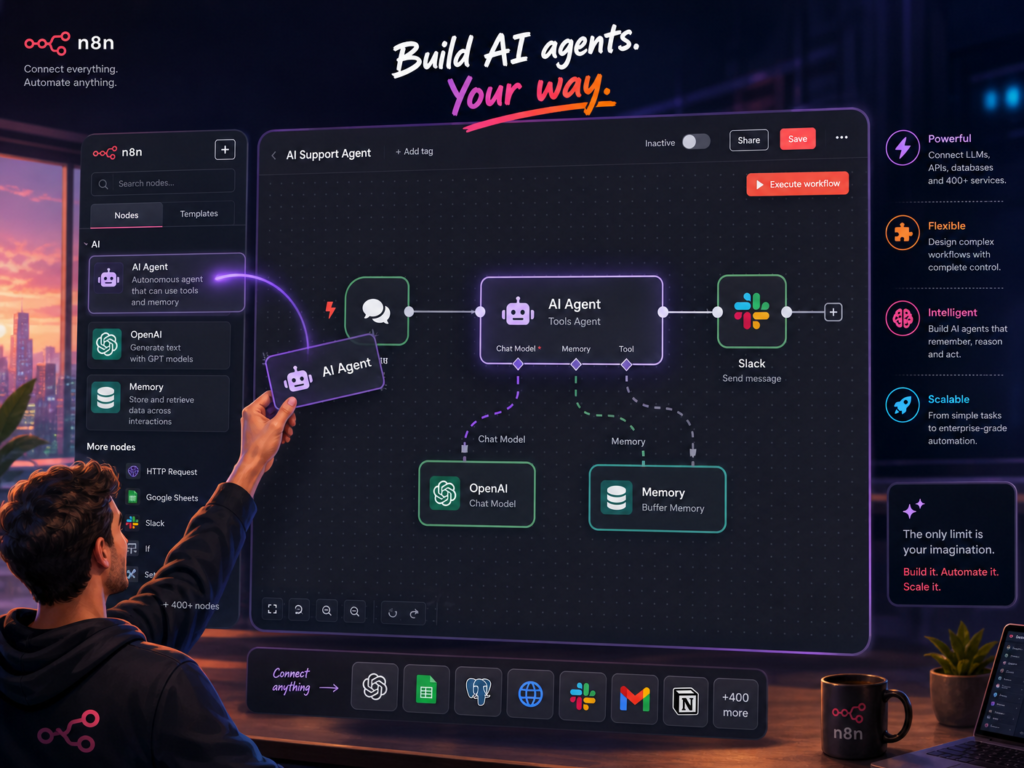
Step 1: The Trigger
Drag an IMAP node onto the canvas. Connect it to your support inbox. Set it to trigger only on unread emails.
Step 2: The AI Agent Brain
Add the “AI Agent” node. Connect an OpenAI model (like GPT-4o) to the model input.
Step 3: Provide Tools
This is where the magic happens. Add a “Postgres” tool and a “Notion” tool to the agent. Write a strict system prompt: “You are a support agent. Search the Notion docs for the answer. If it requires an account change, check Postgres.”
Step 4: Add Memory
Connect a “Buffer Memory” node to the agent. This ensures that if the customer replies back to the same thread, the AI remembers what it said yesterday. For a deeper understanding of memory, check out thi article on AI memory in n8n workflows.
Step 5: The Output
Route the agent’s output to a Gmail node, set to save as a Draft. (Never let an AI send emails directly to customers without human review first—I learned that the hard way).
FAQs
Is n8n better than Zapier for building AI agents?
Yes. n8n is better for AI agents because it supports memory, tool calling, and multi-step reasoning workflows without per-task pricing.
Why does Zapier become expensive with AI workflows?
Because Zapier charges per task, and AI agents require multiple steps per query (analysis, retrieval, reasoning, execution).
Can n8n run autonomous AI workflows?
Yes. n8n supports autonomous workflows using AI agents, tool integrations, memory systems, and conditional logic.
Do I need coding skills for n8n?
No coding is required, but understanding JSON, APIs, and data structures will significantly improve your ability to build stable workflows.
What is the best alternative to Zapier for AI automation?
n8n is the best alternative because it allows self-hosting, unlimited workflows, and full AI agent control.
Can n8n replace Zapier for enterprise AI workflows?
For complex, enterprise-grade AI workflows requiring custom logic, local LLM integration, and cost predictability, n8n is a superior replacement for Zapier.
What breaks first when scaling Zapier automations?
Zapier’s task-based pricing model and rigid control over LLM parameters are the first bottlenecks to break when attempting to scale complex AI automations.
Is n8n safe for production AI agents?
Yes, n8n is production-ready, especially when self-hosted, offering full data control, robust error handling, and the ability to integrate with secure, on-premise LLMs.
Best AI Automation Stack 2026
For those looking to build a future-proof AI automation stack in 2026, consider this powerful combination:
•n8n: As your core workflow automation engine, providing flexibility, customizability, and cost-effectiveness for AI agents.
•Ollama/LM Studio: For running local, open-source LLMs, ensuring data privacy and reducing API costs.
•Postgres/Pinecone: For robust data storage and vector database capabilities, essential for AI agent memory and retrieval-augmented generation (RAG).
•Custom APIs/Webhooks: To integrate with any service or data source, providing limitless expansion possibilities.
This stack offers the ultimate control, scalability, and cost efficiency for serious AI builders.
The Final Verdict
The n8n vs Zapier debate ultimately comes down to how you value your time versus your money.
If you’re a solo operator who just needs a quick automation to move a lead from Facebook to Mailchimp, use Zapier. It’s fast, reliable, and requires zero mental overhead.
But if you’re building actual AI agents—systems that think, loop, query databases, and act autonomously—Zapier will bankrupt you. n8n is the superior automation beast for AI. Its native LangChain integration, visual node architecture, and self-hosted pricing model make it the only logical choice for serious builders. Yes, the learning curve will make you sweat. You’ll spend a few weekends staring at API documentation. But once it clicks, you’ll have the power to build enterprise-grade AI systems that dramatically increase your operational capacity, all for the cost of a cheap cloud server. Stop renting your automation infrastructure. Start building it. For even more powerful systems, discover Solo AI Workflows: 7 Essential Systems to 10X Your Productivity in 2026